MetaMask Review: Still the Default EVM Wallet, but No Longer the Obvious Pick
MetaMask has the widest dApp compatibility in Ethereum, and now adds Bitcoin, Solana and Tron. We looked at its 0.875% swap fee, its security record and the wallets that now compete.
The verdict
MetaMask remains the safest bet for compatibility: if a dApp exists on an EVM chain, it works with MetaMask first. It is no longer the cheapest or most polished option, because the built-in swap fee is 0.875% and rivals handle Solana and transaction simulation just as well. Good as a main EVM wallet, weaker as a one-wallet answer.
Best for Ethereum and EVM users who want maximum dApp compatibility
Pros
- Works with practically every EVM dApp, so connection problems are rare
- Hardware wallet support for Ledger, Trezor and others keeps keys offline
- Now handles Bitcoin, Solana and Tron as well as EVM chains
- Free to install on Chrome, Firefox, Brave, Edge, iOS and Android
Cons
- In-wallet swaps carry a 0.875% service fee on top of network costs
- Buying crypto inside the app costs about 1% on top of provider charges
- Linked Ledger accounts remain limited to EVM chains
- Browser extensions are a phishing target, and approvals are easy to grant carelessly
Ask ten Ethereum users which wallet they installed first and nine will say the fox. MetaMask launched in 2016, and for years it was the only way to get at a dApp from a browser. That head start still counts: every decentralised app tests against it first.
The harder question in 2026 is whether being first makes it best. Phantom, Rabby, Rainbow and Trust Wallet have all taken pieces of its audience. We looked at what MetaMask does well, what it charges, and where we would reach for something else.
Compatibility is the moat
If a smart contract lives on an EVM chain, connecting MetaMask is the one path guaranteed to be built and debugged. Odd networks are added with a few fields, hardware wallets plug in, and tutorials assume you have it. For a person who just wants to use Uniswap, Aave or an NFT mint without reading about connection errors, that is worth a lot.
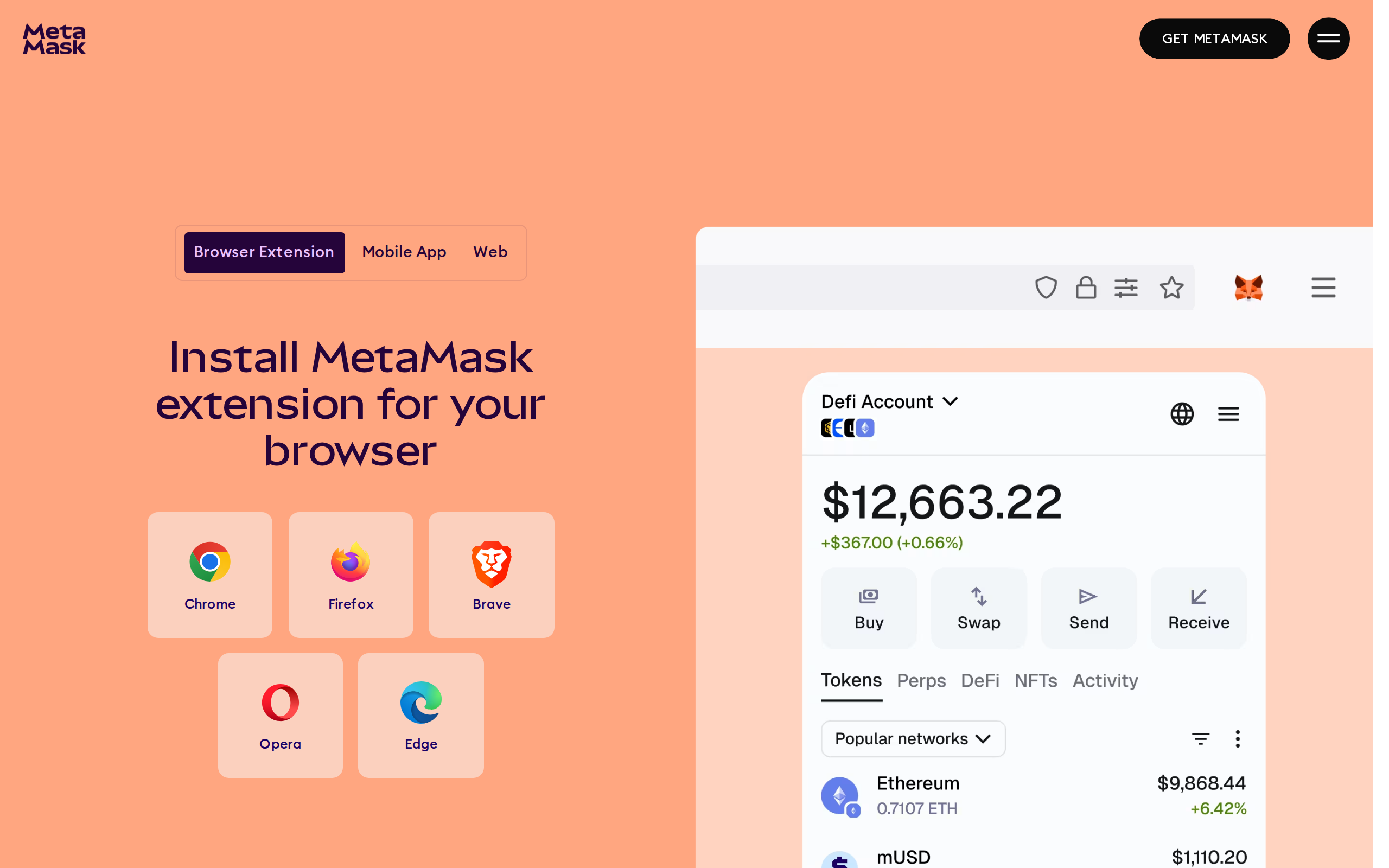
The extension installs in Chrome, Firefox, Brave and Edge, and there are iOS and Android apps.
It has also stopped being EVM-only. The swap page lists sixteen networks, among them Ethereum, Bitcoin, Solana, BNB Chain, Tron, Base, Arbitrum and Optimism. One caveat from independent reviewers: a Ledger linked to MetaMask is still limited to EVM accounts, so Solana and Bitcoin holders on hardware should check this before relying on it.
The fee you pay without noticing
Installing MetaMask costs nothing. Using the built-in swap tool does. MetaMask charges a 0.875% service fee, folded into the quote rather than shown as a separate payment, and you still pay the network fee. Buying crypto with a card inside the app adds roughly 1% of the fiat amount on top of provider costs, according to CryptoSlate's review.
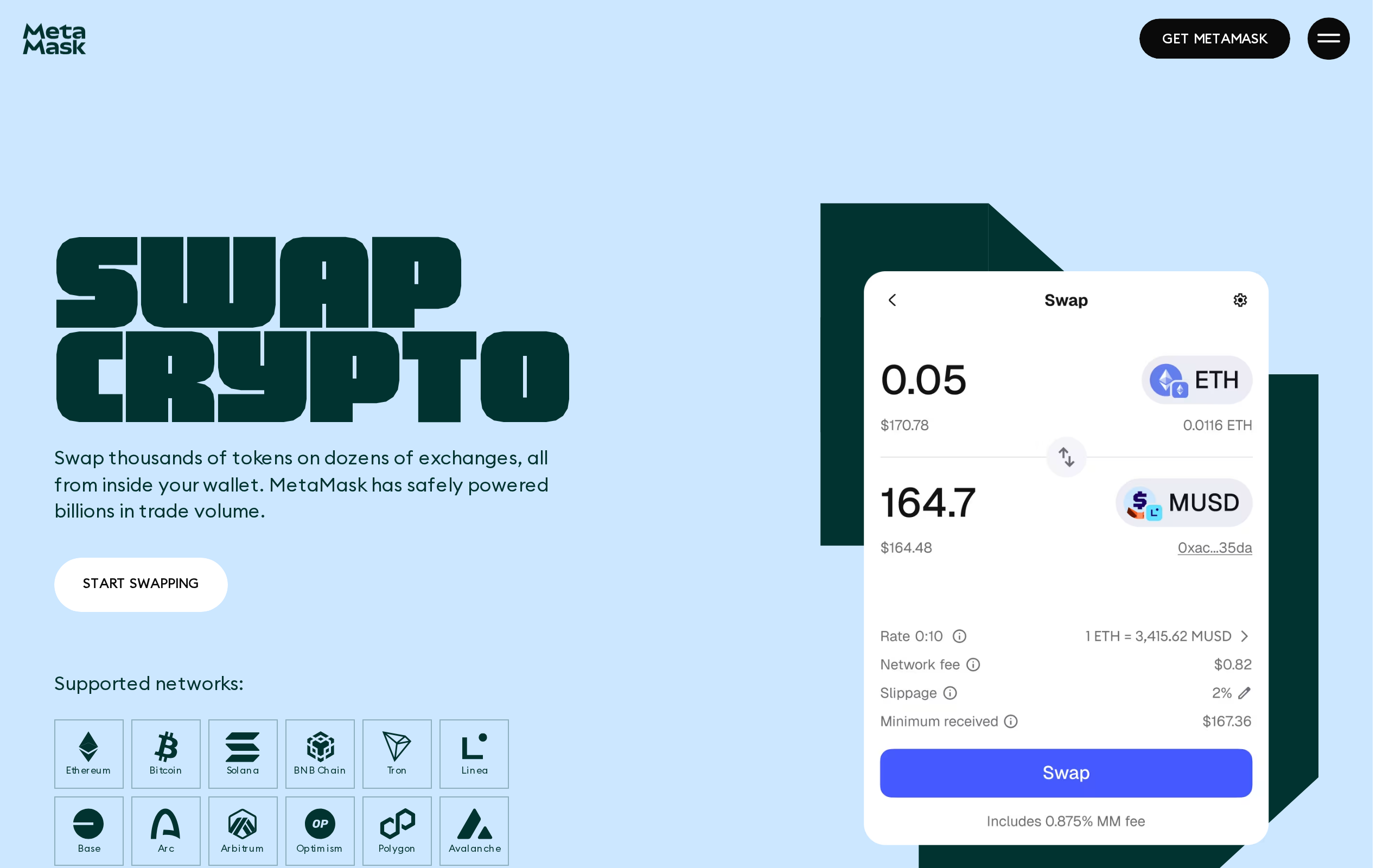
The swap page talks about gas optimisation and routing, and says nothing about the percentage. You have to dig through the support guide to find it. On a $1,000 swap the fee is $8.75 before gas, which is fine for an occasional trade and poor value for frequent ones, where a DEX aggregator used directly, or another wallet, can be cheaper.
Staking, a $9.99 monthly Transaction Shield add-on after the trial, and other paid extras follow the same pattern: optional, fairly disclosed, not cheap.
The portfolio view and everyday use
The dashboard brings accounts, tokens and DeFi positions into one page, with buy, swap and bridge buttons beside the balance.
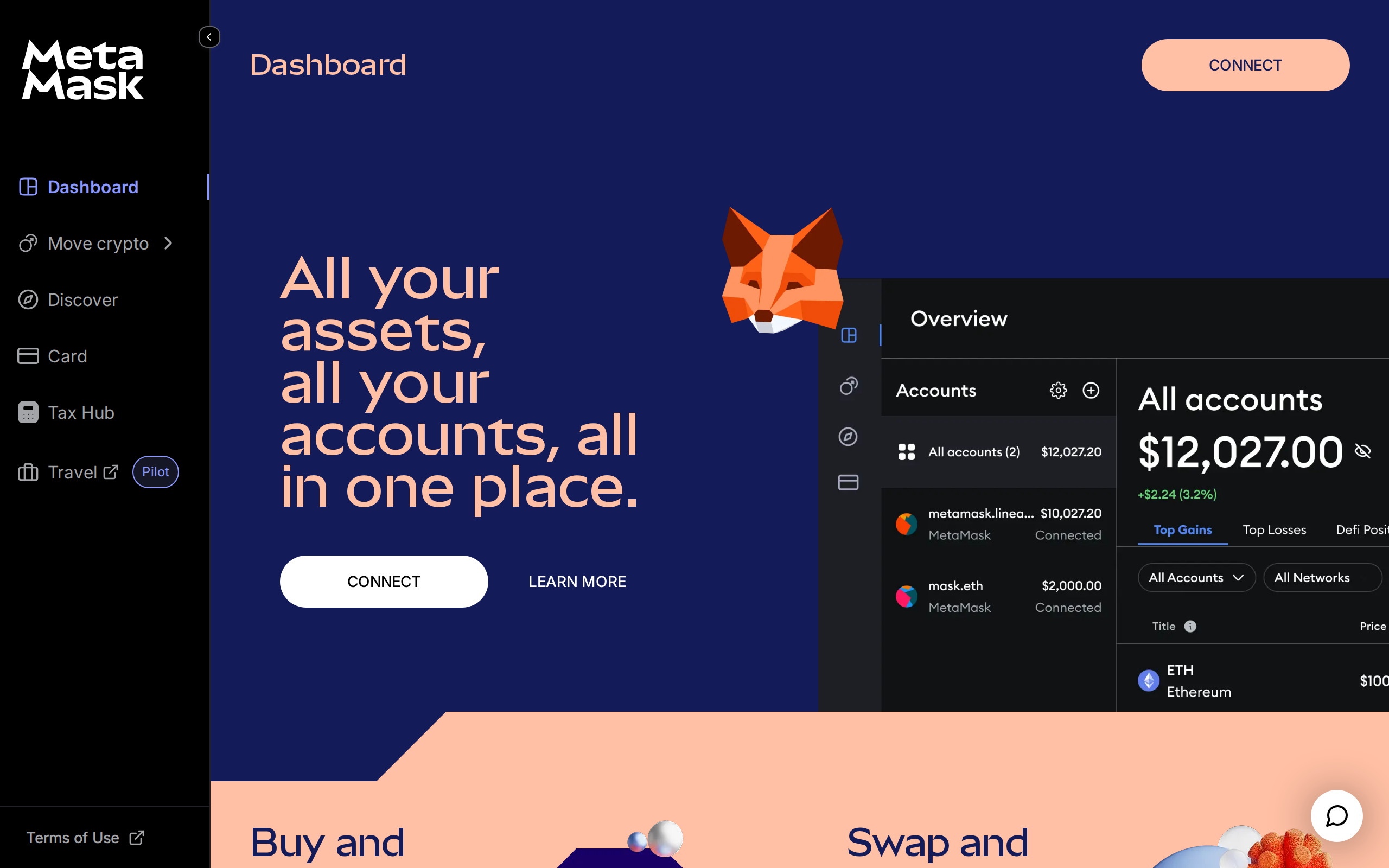
It is serviceable rather than beautiful. Phantom's interface is cleaner for Solana users, and Rabby's pre-transaction simulation shows what a signature will do to your balances before you approve. MetaMask has added transaction alerts, so the gap has narrowed, but a good alert system is still not the same as an interface built around readable previews.
Smart Transactions, Snaps and the extras
Two features deserve a mention. Smart Transactions route a swap privately and, according to MetaMask, reach a 99.99% success rate with the setting enabled, which means fewer failed trades that still burn gas. Snaps are small add-ons that extend the wallet, from extra chains to security checks, and they are why MetaMask can keep growing without a rewrite.
Both are useful, and both are also more code running in a wallet that signs for your money. Install only Snaps from sources you recognise, and read the permissions each one asks for before you approve it.
Security: strong keys, weak habits
Your keys stay on your device, and you hold the recovery phrase. Consensys has had incidents, including a 2022 vulnerability involving disk exposure that was patched, and a 2023 breach at a support provider that affected about 7,000 users. Neither exposed wallets directly.
The usual threats to a hot wallet apply with full force: fake extension listings, phishing sites, and unlimited token approvals you forgot you granted. For serious balances, pair MetaMask with a hardware wallet, keep a small spending account separate and revoke old approvals regularly.
Who should use it
Use MetaMask as your main EVM wallet if compatibility is your priority and you swap sparingly. Choose Phantom if you live mostly on Solana, Rabby if you want stricter transaction previews, and a hardware wallet for anything you would be unhappy to lose. This is a tool review, not a recommendation to hold or trade any token.
Specifications
- Price
- Free
- Swap fee
- 0.875% service fee plus network fee
- Swap networks
- 16, including Ethereum, Solana, Bitcoin, Base, Arbitrum
- Platforms
- Browser extension, iOS, Android
- Hardware wallets
- Ledger, Trezor, Keystone and others
- Custody
- Self-custody; keys stay on your device
- Maker
- Consensys
As published by Consensys when we tested it.